
User Calibrated Photo Screen
Principals
PhotoPosition
History
Help, P4
<== Help ==>
| Photo's date/time has been updated - read from selected file Progress shows next prompt Photo already selected (different layout in Chrome) App has updated X, Y for Clb#1 - see below User also selected Constellation User also clicked on appropriate star in graphic App has indicated the star in drop-down and updated RA/DEC parameters Graphic shows selected:
App X, Y has also been updated for Clb#2 And, retained the previously selected constellation Star was selected from the graphic & now shown in the drop-down RA/DEC for Clb#2 has been updated |
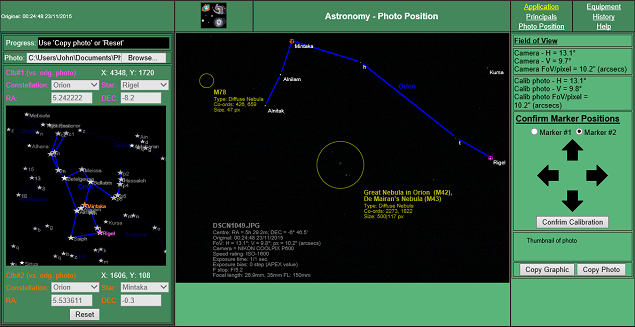 |
Camera's FoV details - see help screen, P2 Photo's FoV details - see help screen, P3 This serves as a useful check (vs. camera's FoV) that the photo has been correctly calibrated. Either of the two images can be copied to the thumbnail image by using the appropriate button. |
Once the < Confirm Calibration > button has been pressed, the App will:
|