
With photo copied to thumbnail
Principals
PhotoPosition
History
Help, P5
<== Help
| Photo's date/time has been updated - read from selected file Progress shows next prompt Photo already selected (different layout in Chrome) App has updated X, Y for Clb#1 - see below User also selected Constellation User also clicked on appropriate star in graphic App has indicated the star in drop-down and updated RA/DEC parameters Graphic shows selected:
App X, Y has also been updated for Clb#2 And, retained the previously selected constellation Star was selected from the graphic & now shown in the drop-down RA/DEC for Clb#2 has been updated |
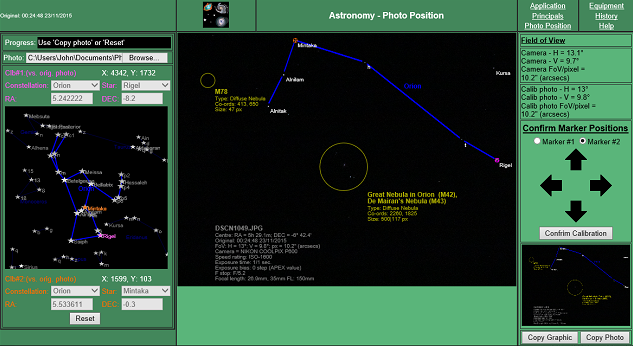 |
Camera's FoV details - see help, P3 Photo's FoV details - see help, P4 The photo with object details has been copied to the thumbnail, using the highlighted 'Copy photo' button. Note the calibration markers are NOT copied to the thumbnail. Right-mouse click on the thumbnail image to bring up the 'Save As' dialogue menu. (Chrome and Android refuse to allow 'canvas' elements with imported graphics - photo - to be copied). |