
Filters & Objects
Principals
PhotoPosition
History
Help, P4
<== Help ==>
| Objects are: Constellations; All MC Objects; Galaxies; Groups; Miscellaneous (Milky Way Patch and Double Stars); Nebula | Use 'Object' to select broad categories of objects |  |
Use 'Visual tools' to select the equipment being used to observe the objects | Currently this is fixed for cameras - and only the cameras the author has access to. This is intended to filter the selected objects based on whether the camera will produce a reasonable sized image (in pixels). To achieve this it must know its resolution and optical performance, so will never cater for all cameras & lens combination, without having a user defined option. This wouldn't be useful in an HTML application as it would need to be added each time the application is opened. A local application that is able to store the details does have possibilities but will have to wait until the application has migrated to a suitable development environment. |
| The order of the objects is based on how easy it should be to see - a function of its' overall size and brightness. The listing is brighter the rarer it is, based on how many of its' type are in the database. The Altitude and Azimuth parameters are listed to help locate it in the sky (or on the display - best used when the Alt/Az grid is displayed). |
Select an object to bring up its' details | 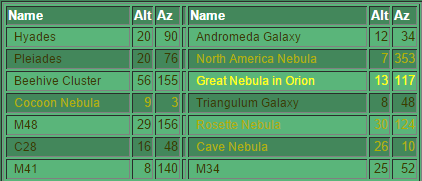 |
Select an object to bring up its' details | The list is created as a double column for screen layout purposes. |